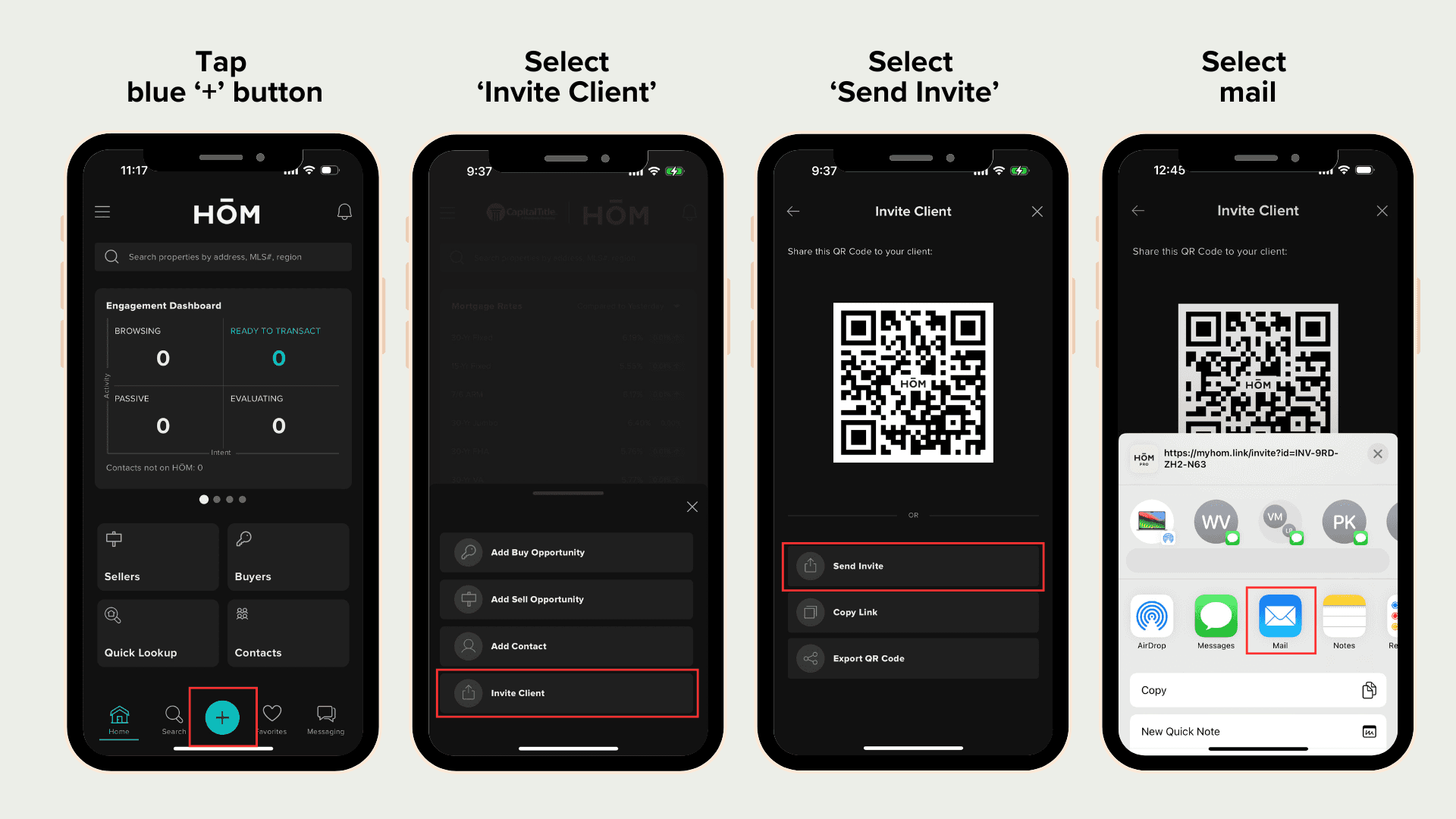
Invitation via Email
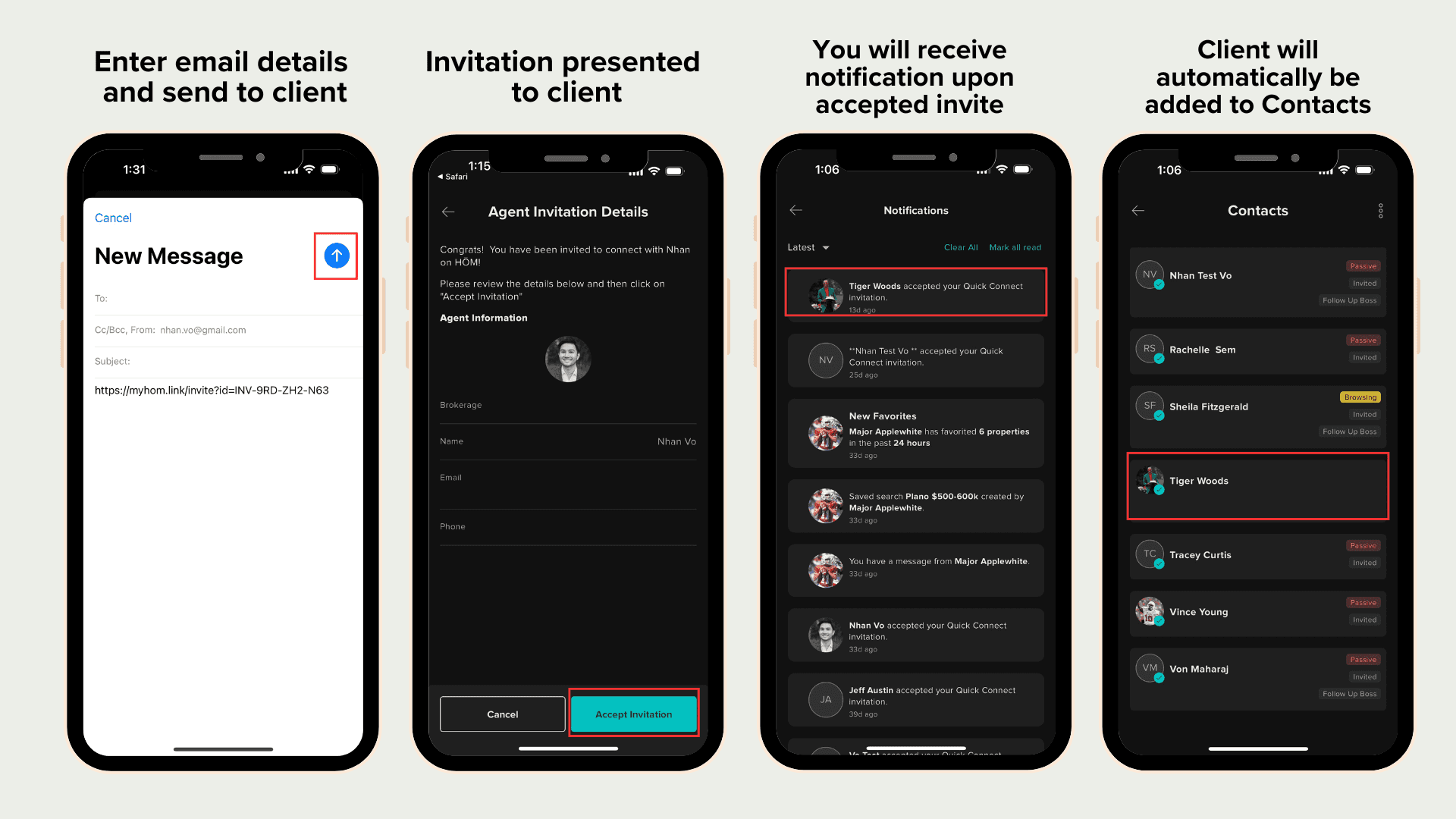
This method lets you send your invitation link to your client via email
The link will automatically detect whether your client is using an Apple or Android phone
When the client opens the invitation, they will be directed to the appropriate app store to download the app
Once a consumer accepts your invitation, you will receive a push notification
The app will automatically generate a Contact Card for that consumer using the information they provided during sign-up
Occasionally, a client may not appear as connected in HŌM after you send an invitation due to mobile privacy protections or device settings.
If you don’t see a new client within 24 hours, simply send a quick follow-up asking them to tap the invitation link again to complete the connection.
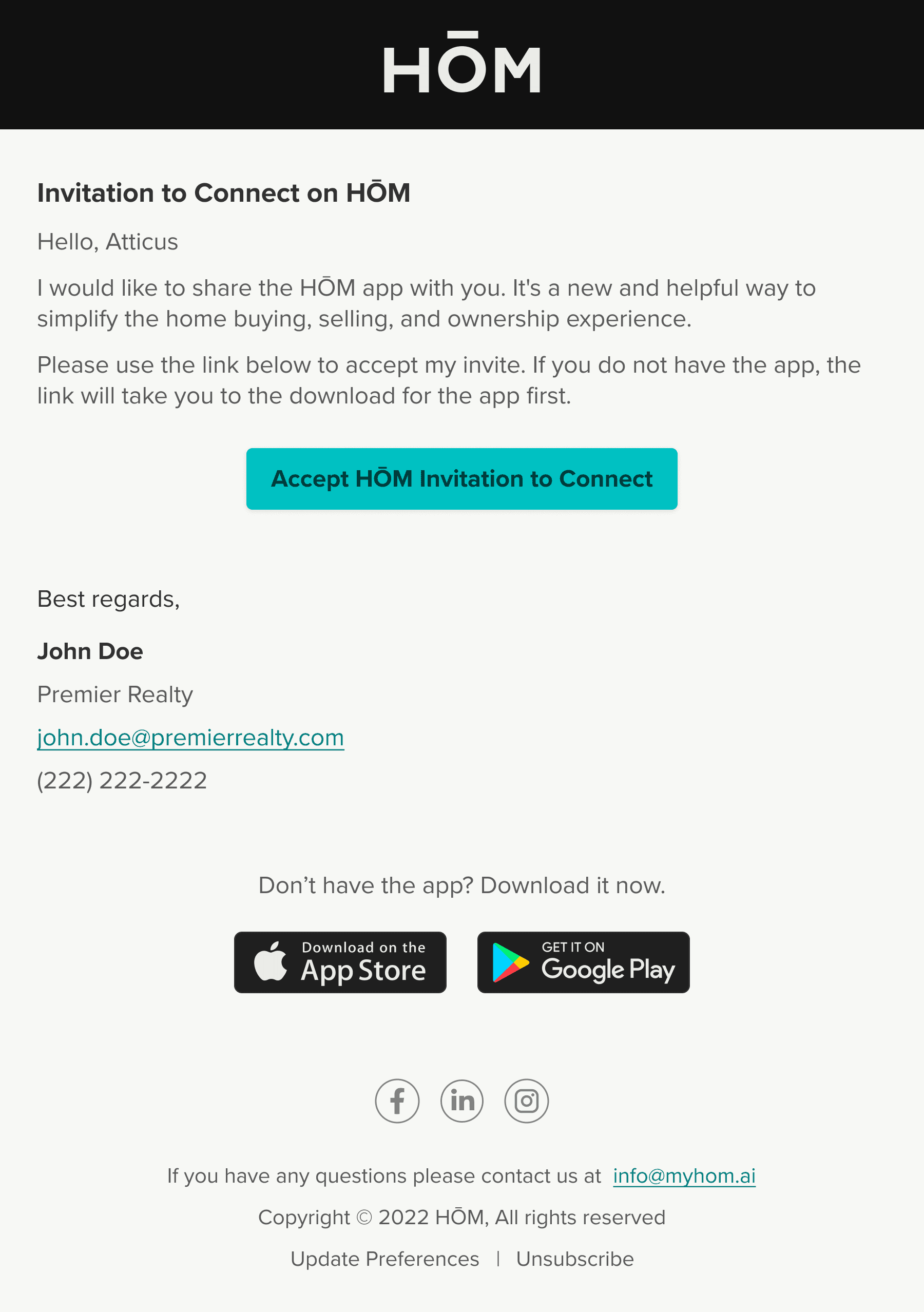
This is invitation email your client will receive: